User guide
Prices & alerts
Where the numbers come from, and how the app can tell you a price moved without anyone learning what you own.
Screenshots are from the iPhone app. Everything shown on this page works the same way in the Android app, drawn in Android's own style.
Where prices come from
The app fetches spot prices from our server, which relays them from a market data provider. The request asks for prices — that is all it contains. It carries no inventory, no holding, no total, and no identifier tied to you.
This is worth stating plainly because it is the usual place a "private" app leaks: our server can see that a device asked for the price of gold. It cannot see that you own any.
How often prices refresh
On launch, periodically while the app is open in front of you, and whenever you pull to refresh. A phone in your pocket is not talking to us unless you have asked it to: with price alerts on it checks prices about hourly, and with the daily digest on it checks once a day. Neither check carries your holdings, your alert prices or your currency, and each asks for the same metals whatever you hold or watch. They do not look like opening the app, though: each also asks for price history, an alert check asks for a number of days that follows how long ago the last check was, and the digest arrives at about the same time each day, so our server could tell that a device has an alert switched on, or uses the digest. The Privacy Ledger in the app lists exactly what each check sends.
Prices are cached, so the app is fully usable offline; you will see the last figures it retrieved, and the display tells you they are not live.
Currencies Pro
Prices are fetched and stored in US dollars, always, for everyone. That is what the free tier shows: spot, your total, and every chart, in dollars.
Pro adds the other 43 currencies. Pick one and the whole app re-reads in it — the ticker, your portfolio value, the allocation ring, the charts.
The rates are the European Central Bank's and Banca d'Italia's daily reference rates, reached through Frankfurter. They are published once a working day, and each rate carries the date the bank published it rather than the moment you looked — so over a weekend, or a bank holiday, you are reading Friday's fix. Metal prices keep moving on their own cadence either way; it is the conversion underneath them that holds still.
Historical charts convert each point at the rate in force on its own day, not at today's rate. So a year in euros is the metal's move plus the euro's move, which is the honest answer to "what did this do for me" — and it is why two currencies can legitimately disagree about whether your month was good.
What our server learns when you convert
For the rate table: that a subscription asked for rates, and no currency at all — the response carries every currency, so there is nothing to select and no parameter that could name yours. Switching display currency after that is a local re-render with no network call, because your phone already holds every rate.
The one exception is a historical chart, which asks for one currency's series over a window. That request is the only place in the entire app that names a currency.
Charts and ranges
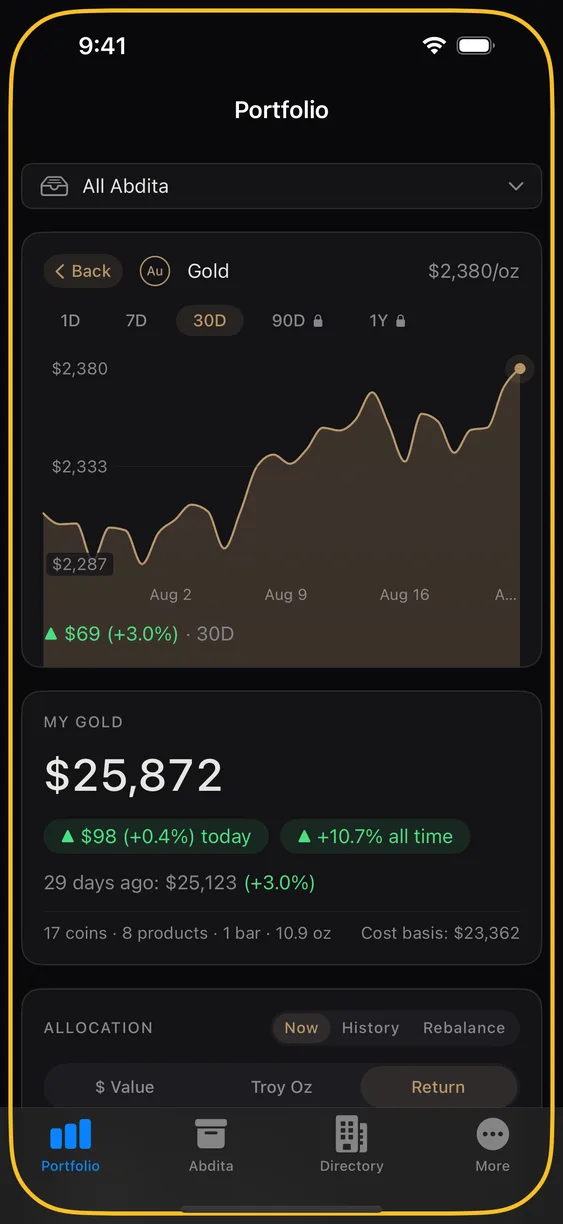
Tap a metal in the ticker for the full chart. The range pills are 1D, 7D, 30D, 90D, 1Y; the first three are free and the last two are part of Pro. One year is the longest window the app will show.
Price alerts Pro
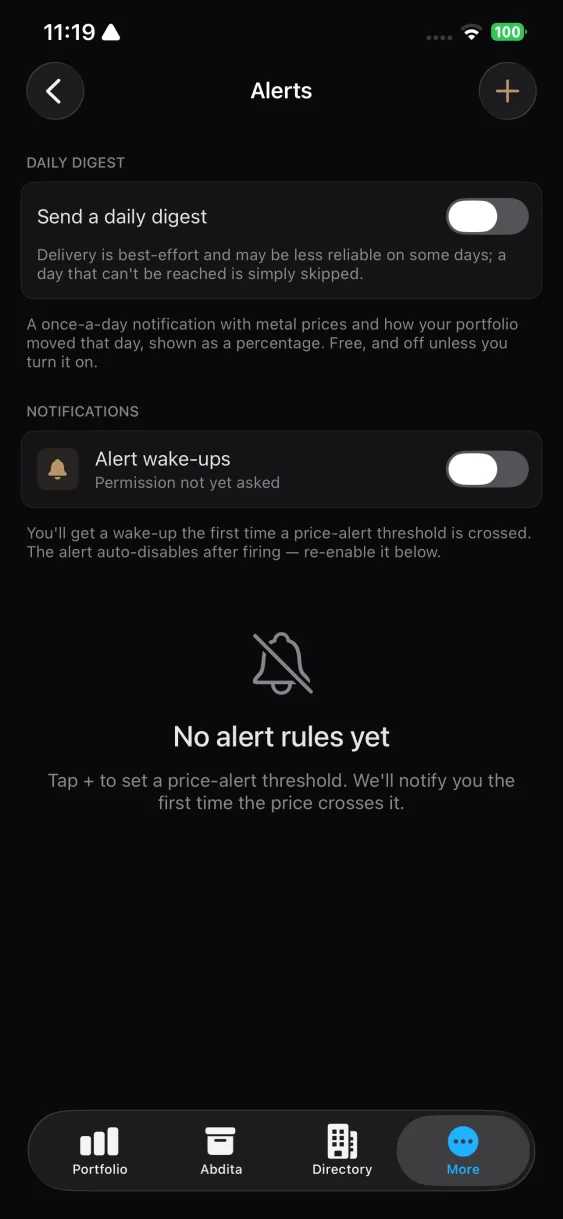
An alert is a rule: tell me when this metal, in this currency, crosses this price. Create them under More ▸ Price alerts.
Alerts need notification permission. If you declined it at first launch, you can grant it later in your phone's system settings.
How an alert stays private
Your alerts live on your phone. Nothing is sent to us when you create one, and nothing is pushed to you when one goes off — your phone checks the price itself and writes the notification itself.
So we have no record that you use alerts at all: not which metals you watch, not the prices you picked, not whether one has ever fired. To check an alert your phone asks us for the current price, which is the same request it makes when you open the app, and the same answer we give everyone.
If your phone was asleep
Your phone checks roughly once an hour, and asks “has this happened since I last checked?” — so a price that crossed your threshold while it was asleep is still found on the next check. The notification can arrive late. It is not lost.
Limits
Pro only. Alerts are threshold crossings on spot price — not on your portfolio's total value, which would require telling the server what you own.